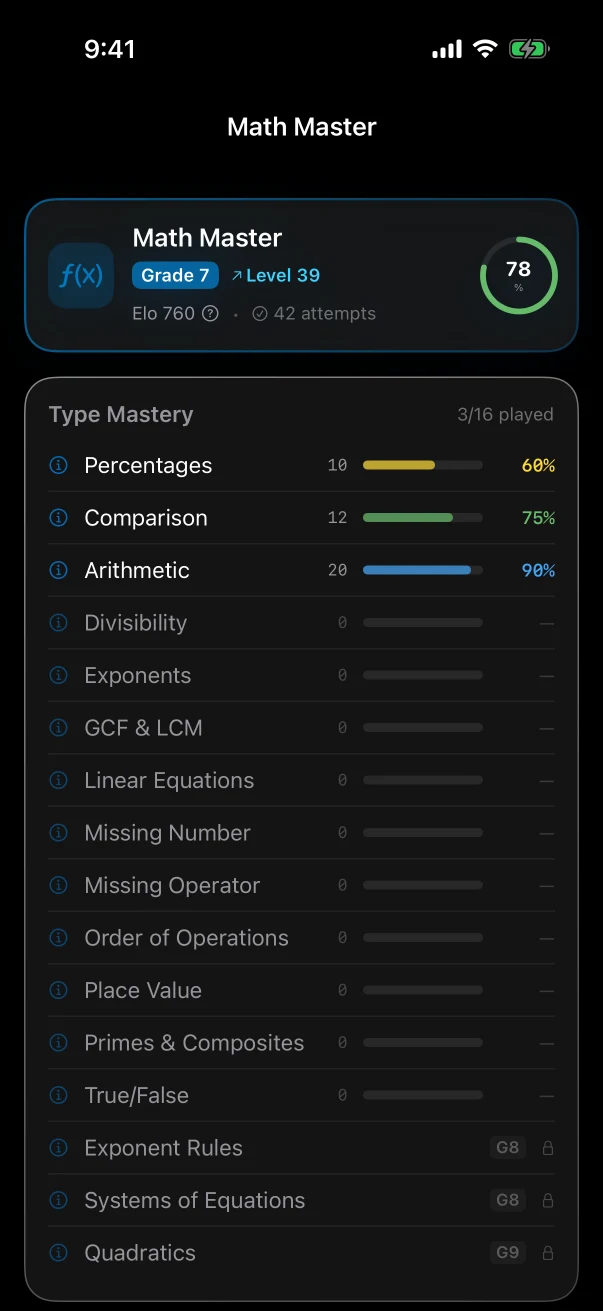
Math Master
Math Master keeps its own level and shows progress for each kind of problem.
You choose which apps are blocked, when the rule applies, and what earns access. Your child moves toward the goal through eligible learning games, approved homework, or confirmed chores.
13 games with separate levels: harder play adds new rules, steps, memory, or reasoning, not only bigger numbers or faster timers.
Daily is a separate browser sample. It does not add app points or change app progress.
13 learning games. Parent-set rules. No ads.
Choose games and inspect each game's settings.
See the active restriction, current goal, and available ways forward.
Practise math, words, memory, logic, and attention through different game mechanics.
Games, approved homework, and confirmed chores can move one clear goal.
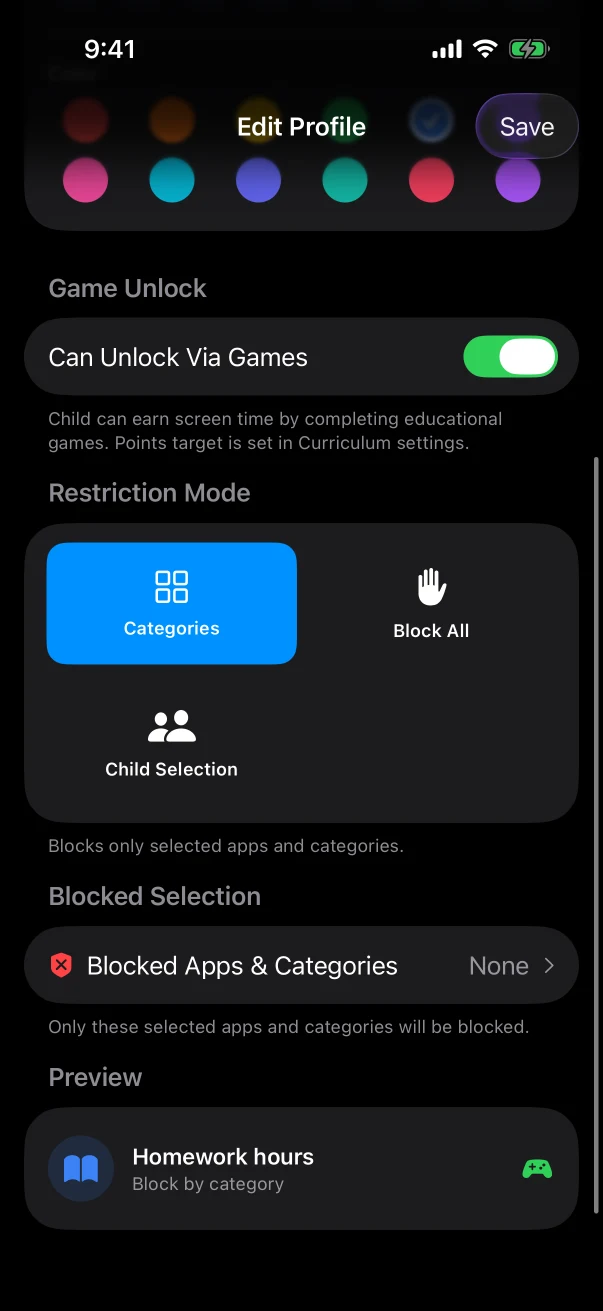
Choose what is blocked, when, and the goal.
Games add points. Homework and chores count after you approve them.
Reach the goal and the current block lifts.
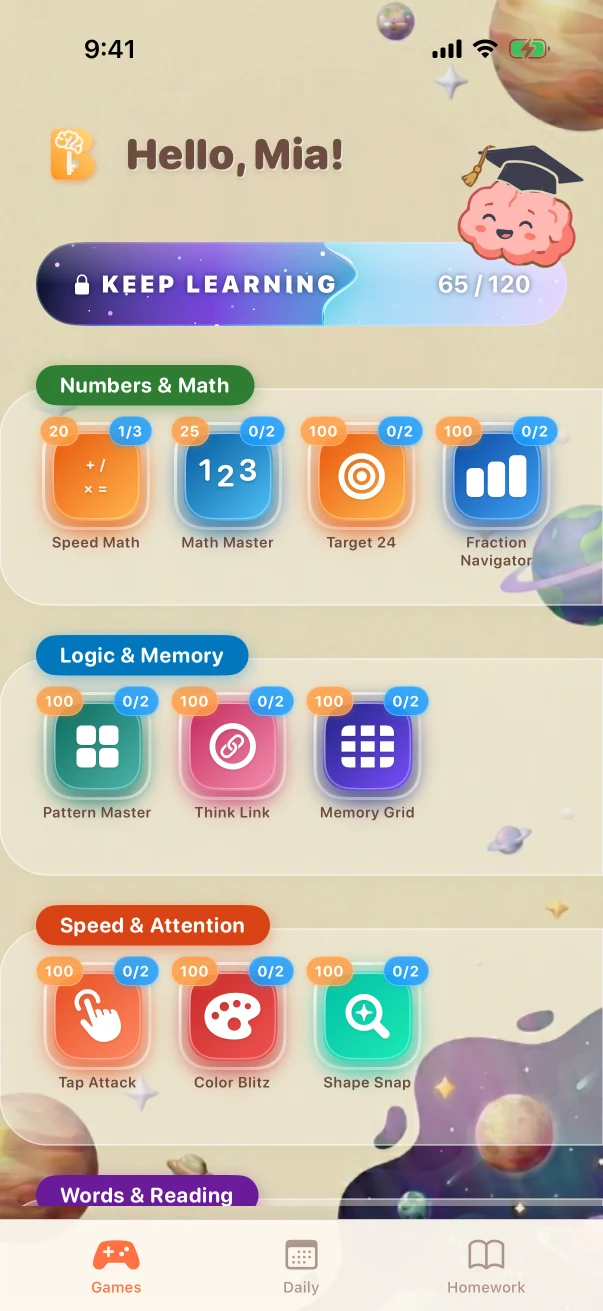
Points add up. They are not minutes and are not spent.
See full access flowEach game tracks its own level and can change rules, steps, memory, or reasoning.
Math Master keeps its own level and shows progress for each kind of problem.
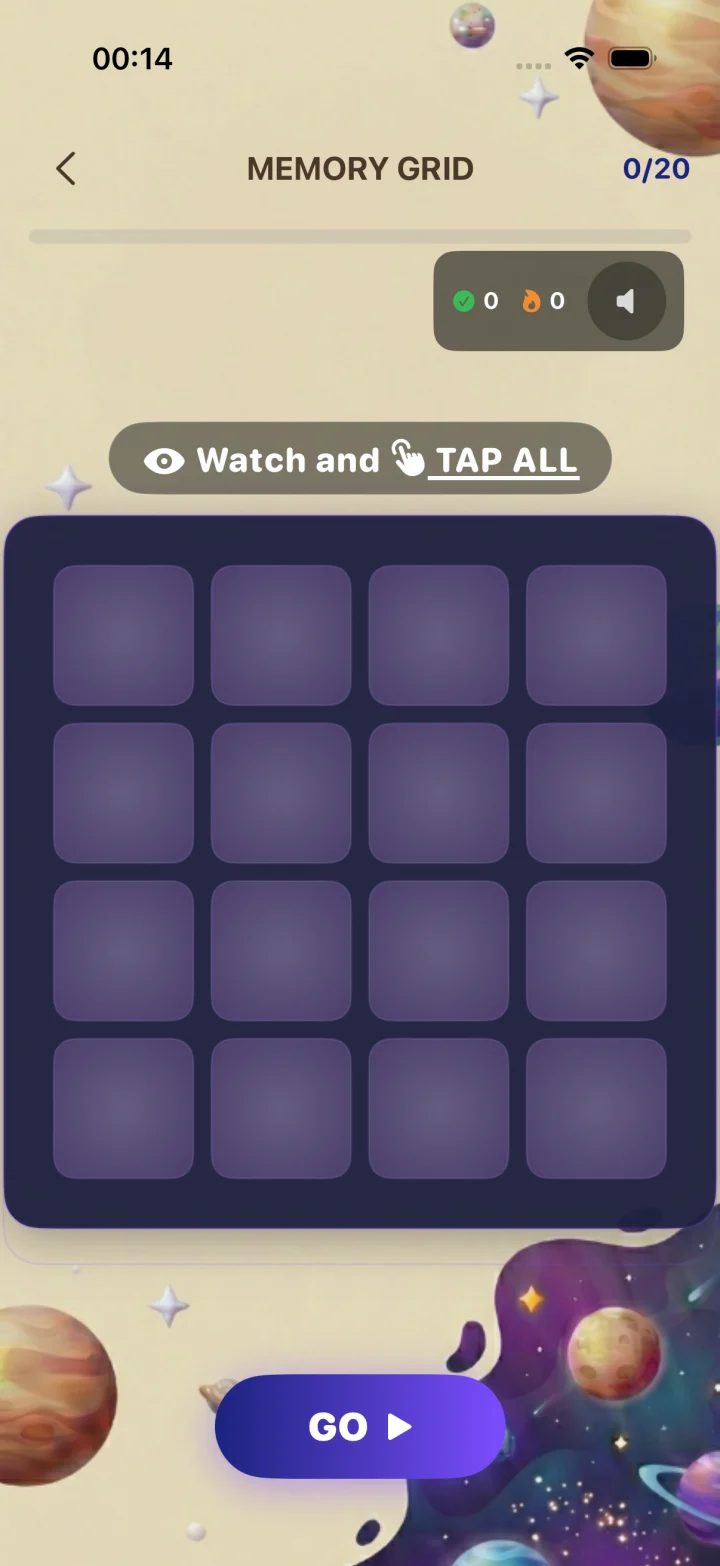
Remember tiles or their order. A miss can show the correct tiles or sequence.
Color Blitz builds rule switching and attention alongside two other focus games.
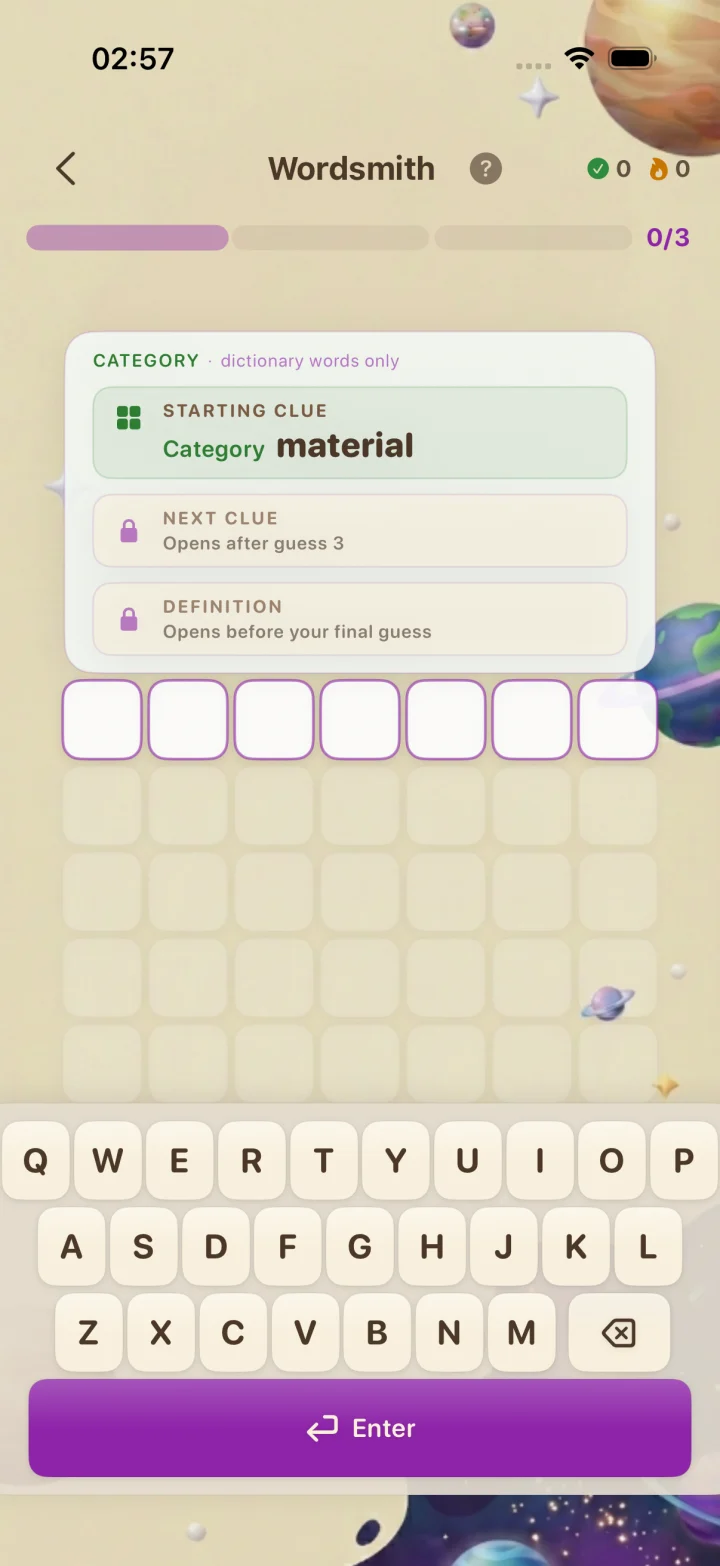
Use meaning clues and letter positions to find the word. Every valid guess adds feedback.
Math, logic, focus, and words. Open a game to see how it plays.
Calculate, reason, and see why.
Spot patterns, plan, and remember.
Focus, switch rules, and respond accurately.
Build vocabulary, spelling, and meaning.
Word games currently use English content.
Daily is separate from app points and progress.Start with Braincove's recommendations, then adjust each child's schedule, goal, games, rewards, session length, and earning limits.
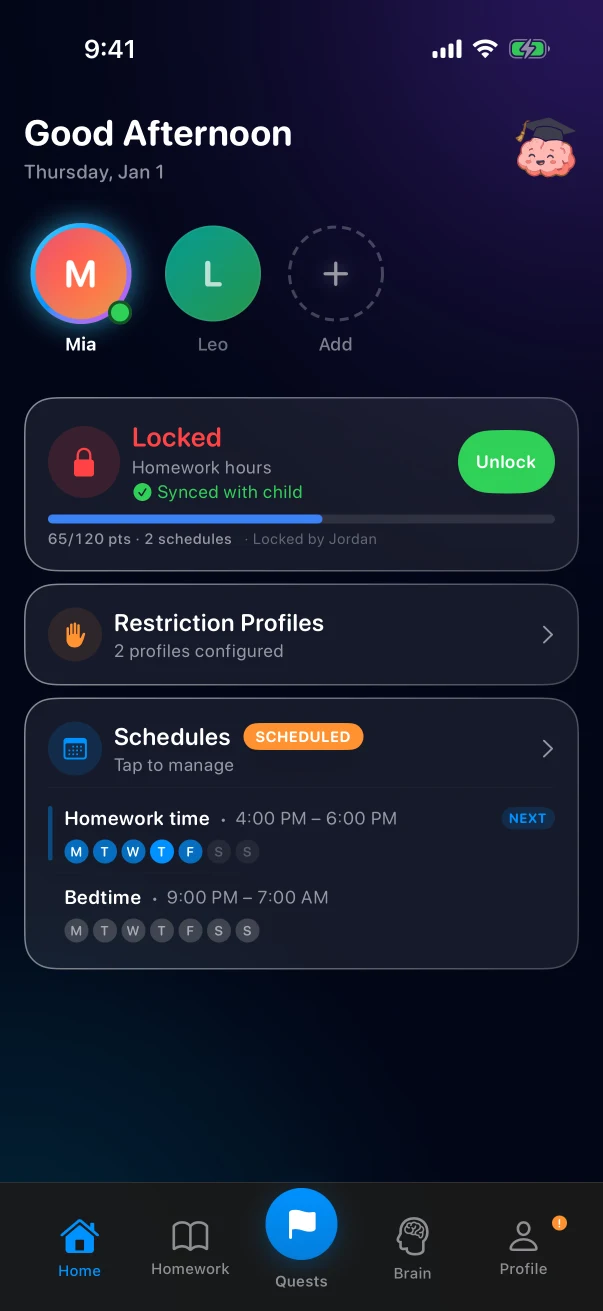
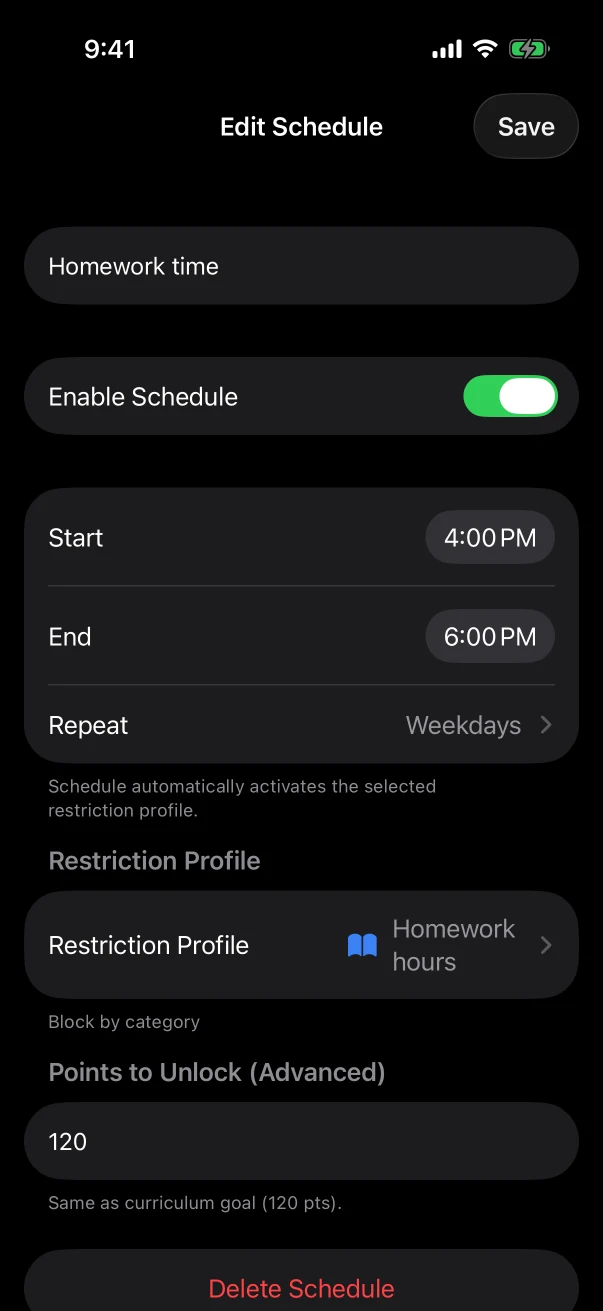
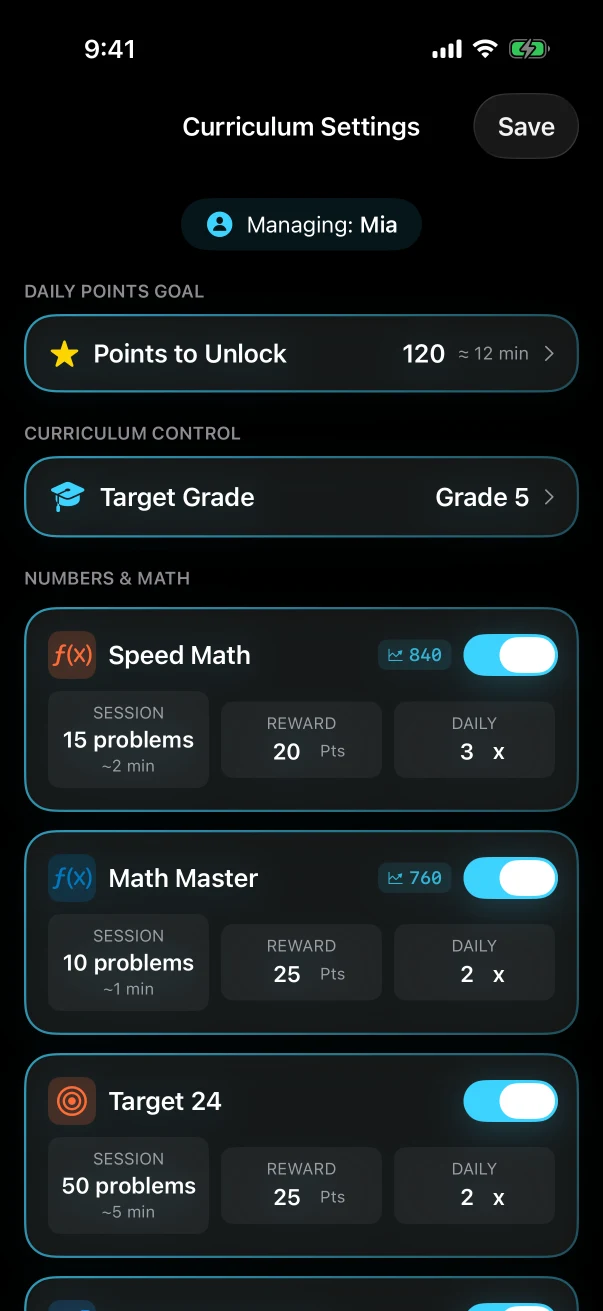
Current English-language iPhone development build.
Supported family settings sync across connected parent devices.
Each child keeps separate rules and progress.
New remote changes wait for a connection.
Open the part of Braincove you care about. Each link goes straight to the full explanation.
We'll email once. No spam, no marketing list resale.