
FractionNavigator
See, place, compare, and solve fractions across 14 named problem types.
FractionNavigator is an untimed fraction game. Depending on the task, your child reads a visual model, places a fraction, reorders values, or chooses an answer. The interaction changes with the fraction idea being practised. Foundation play begins at Levels 1-5; the 14 named types span Levels 6-85 and progress from models and magnitude to operations, conversions, ratios, and multi-step situations.
- 14 different fraction types
- Models, magnitude, comparison, equivalence, operations, conversions, ratios, and word problems use distinct task structures.
- Place, order, or choose
- Number-line and ordering tasks use direct manipulation; other tasks use choices based on common fraction errors.
- Untimed practice
- The child can inspect the exact fractions and open task-specific help without a countdown.
- Level range
- Levels 1-5 foundation · 14 named types across Levels 6-85
See one complete FractionNavigator problem
In the app, the action matches the fraction task: identify a shaded model, place a fraction, reorder values, or choose an answer.
- 1
Read the fraction task
At Levels 1-5, the app uses the foundation deck. From Level 6, it chooses among the named types available at the child's level.
- 2
Use the matching interaction
The child chooses, places, or reorders instead of forcing every task into one format.
- 3
See the exact correction
A miss reveals the correct answer, position, or order; choice problems can open steps using the same fractions.
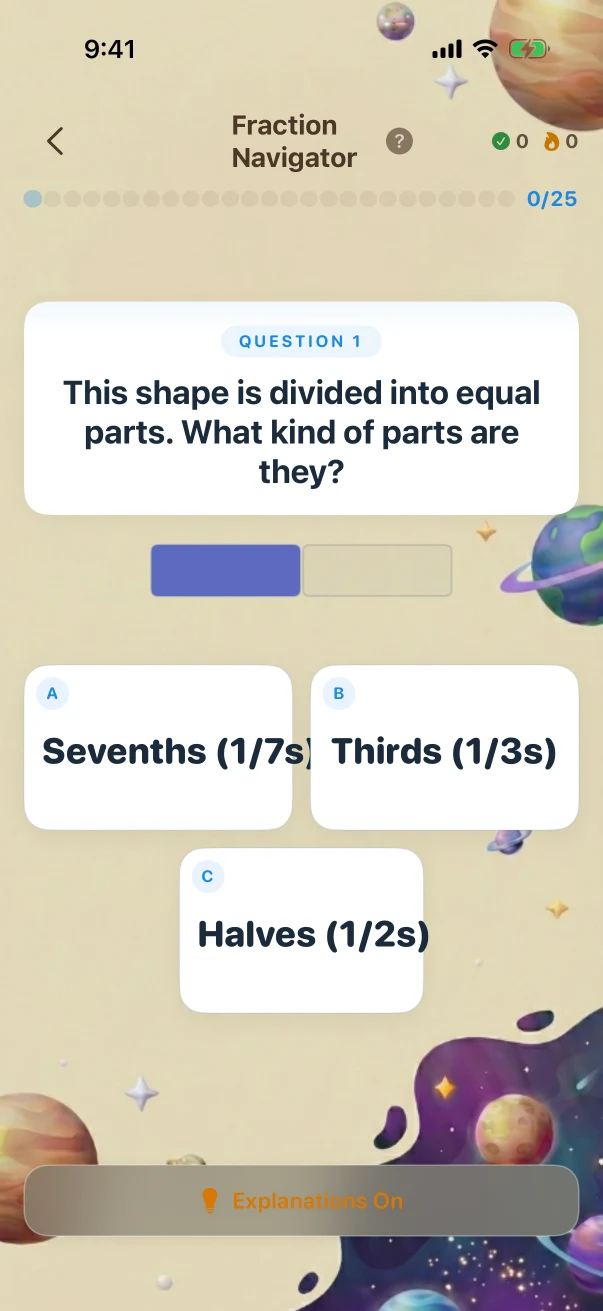
This example stays the same on the website so you can compare it. The app creates new problems during play.
All 14 types, each with an early and later structure
Every comparison uses an app-created problem at the stated level. The later example changes the task structure, operation, representation, or number of reasoning steps, not only the size of the numbers.
Part-whole models
Connect visible equal parts to the fraction they represent.
Counting colored parts in one model becomes comparing the fraction shown by two different models.
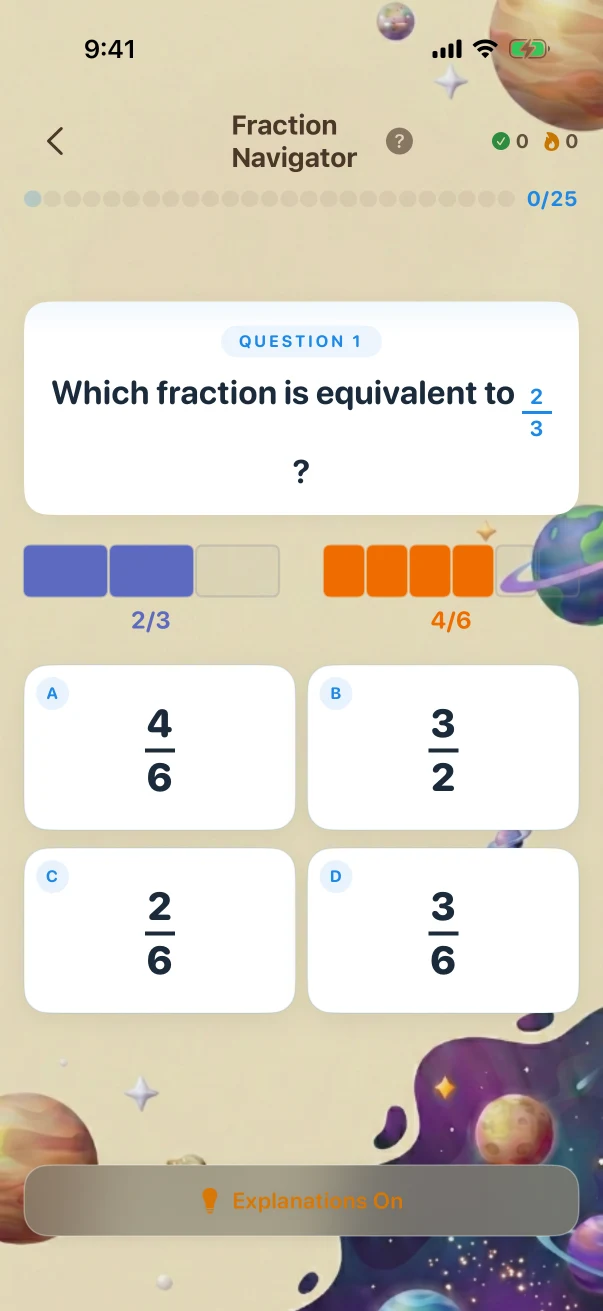
Part-whole models · Later challenge · Level 20 The child is viewing the task before submitting an answer.
Part-whole models · Later challenge · Grade 3 · Level 20 of 85
- What the child is solving
- Which fraction is equivalent to 2/3?
- What counts as correct
- 4/64/6Correct answer3/22/63/6
- Why this answer works
- Let's find an equivalent fraction for 2/3. Here is the equivalent fraction rule. Multiply the top AND the bottom by the same number. The value stays the same.
The child is viewing the task before submitting an answer.
The correction follows the interaction that carried the answer
A choice problem can open exact solving steps. A placement or ordering miss reveals the correct position or sequence rather than pretending it was a multiple-choice task.
- 1
Build the task in its own format
The problem keeps the model, number line, order list, or answer choices that belong to that fraction task.
- 2
Check the matching response
The app checks the selected answer, how close a placement is, or whether the full order is correct.
- 3
Return task-specific help
Explanations reuse the same fractions; placement and order tasks reveal the correct position or sequence.
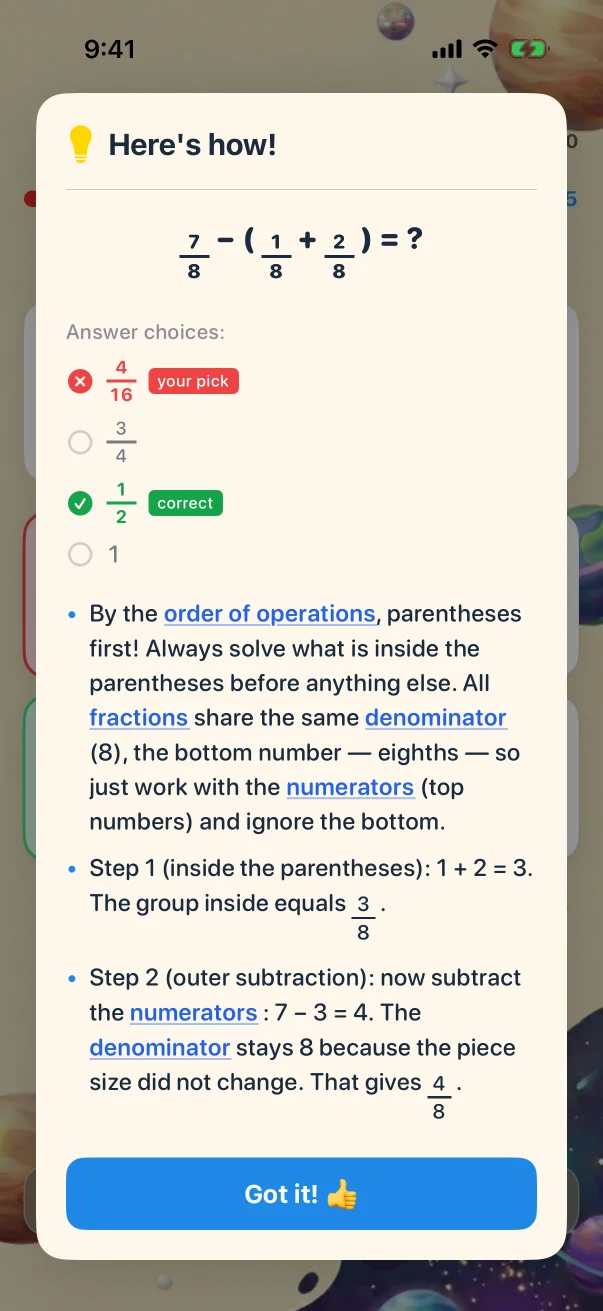
- By the order of operations, parentheses first! Always solve what is inside the parentheses before anything else. All fractions share the same denominator (8), the bottom number — eighths — so just work with the numerators (top numbers) and ignore the bottom.
- Step 1 (inside the parentheses): 1 + 2 = 3. The group inside equals 3/8.
- Step 2 (outer subtraction): now subtract the numerators: 7 − 3 = 4. The denominator stays 8 because the piece size did not change. That gives 4/8.
- To simplify, find a number that divides evenly into both 4 and 8. The largest is 4. Divide top and bottom by 4: 4 ÷ 4 = 1, 8 ÷ 4 = 2. So 4/8 = 1/2.
- Watch out: without the parentheses, going left to right would give a different answer (7 − 1 + 2 = 8), so the grouping matters!