
SpeedMath
Type every answer. Early arithmetic is untimed; later levels add a per-problem countdown chosen for the level.
SpeedMath is a free-response mental-arithmetic game. Your child works out each calculation and types the result on a number pad. There are no answer choices to guess from. The stream moves from direct untimed arithmetic to timed order-of-operations and Advanced Challenge calculations with several linked operations.
- Type every answer
- Each response comes from the child's own calculation rather than a multiple-choice list.
- Untimed Levels 1-15
- The foundation levels leave the countdown off while arithmetic facts and multiplication enter the stream.
- Timing follows the level
- From Level 16, each problem gets its own allowance; later bands change both calculation structure and time pressure.
- Level range
- Levels 1-85 · Preschool through Advanced Challenge
See one complete SpeedMath problem
In the app, the child works out the calculation, types the answer on the number pad, and submits it. There are no answer choices to guess from.
- 1
Read the calculation
The app generates a calculation for the child's current SpeedMath level.
- 2
Type one answer
The child enters the result with the number pad instead of choosing from a list.
- 3
See the correction
A wrong entry is crossed out beside the correct result. At timed levels, running out of time ends the session.
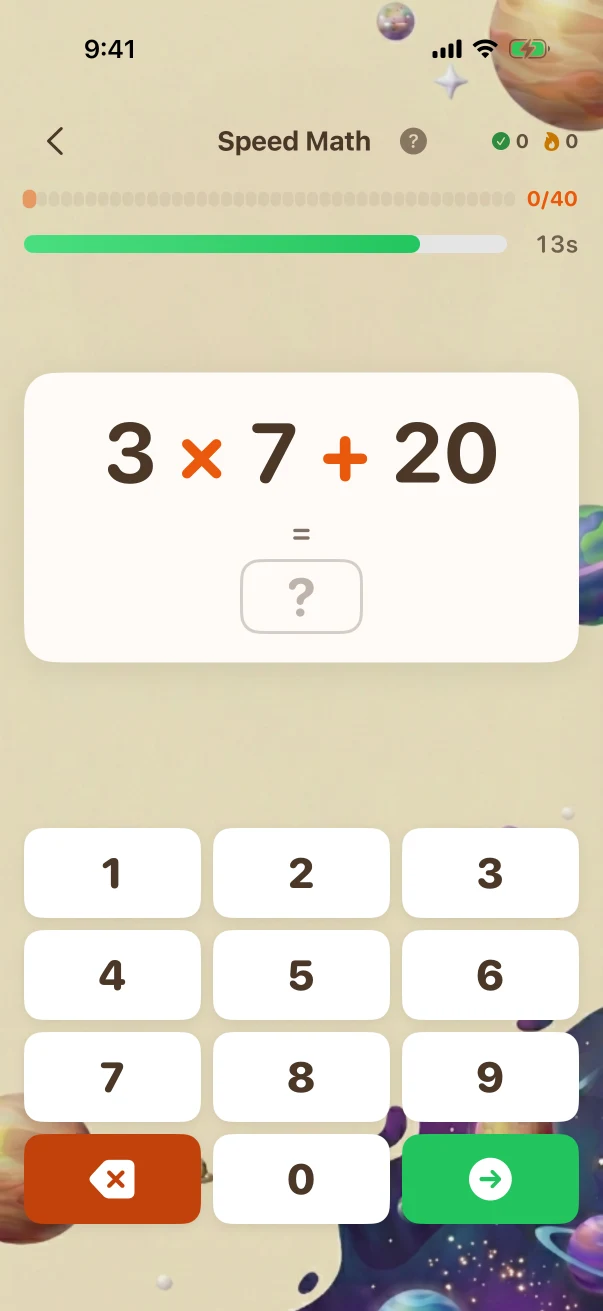
This example stays the same on the website so you can compare it. The app creates new problems during play.
From one operation to multi-step mental calculations
SpeedMath is one continuous mental-arithmetic stream. These examples show how the calculation itself changes from direct facts to order of operations and several linked operations.
Mixed mental arithmetic
Fresh free-response calculations progress from direct facts to order of operations and several linked operations.
One direct operation becomes an order-of-operations expression; the separate Advanced example requires two products before their difference.
Mixed mental arithmetic · Later challenge · Level 40 The child is viewing the task before submitting an answer.
Mixed mental arithmetic · Later challenge · Grade 7 · Level 40 of 85
- What the child is solving
- 3 × 7 + 20 = ?
- What counts as correct
- 41
The child is viewing the task before submitting an answer.
A wrong answer shows both the entry and the result
The calculation is generated for one exact level. The child types a free response; after a miss, SpeedMath crosses it out and briefly shows the correct result.
- 1
Choose a calculation for the current level
The app chooses a calculation that fits this level and its time allowance.
- 2
Submit without answer choices
The typed response is compared with the exact integer result.
- 3
Correct or end the session
A wrong entry reveals the result. At timed levels, expiry ends the SpeedMath session instead.
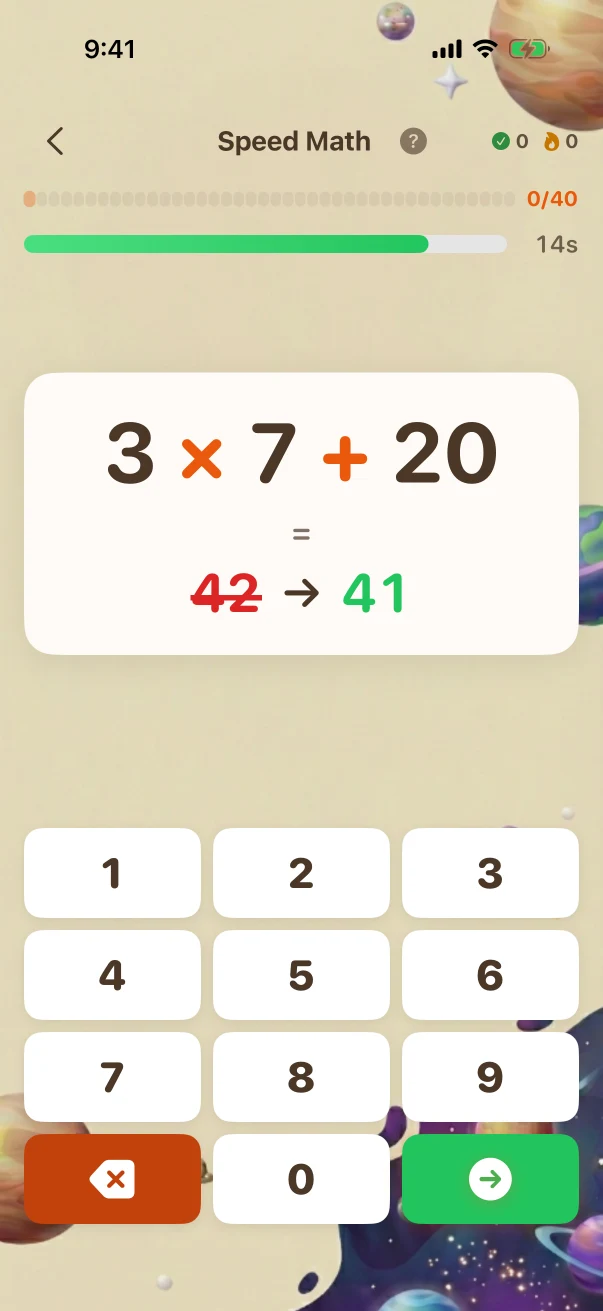
What genuinely changes across the full level path
The comparisons add new rules, operations, representations, interactions, and reasoning steps. Larger numbers or longer item lists alone are not treated as proof that a challenge is harder.
One untimed operation
2 - 1 = ?The Level 10 example asks for one direct subtraction with no countdown.
Timed operation order
3 × 7 + 20 = ?The Level 40 example gives 16 seconds and requires multiplication before addition.
Two products in one advanced calculation
17 × 9 - 18 × 8 = ?The Level 76 example gives 10 seconds and requires two products to be worked out before finding their difference.
What the child is practising in the visible task
These are bounded practice goals tied to the actions shown above, not promises that one game replaces teaching or proves mastery.
Recall without answer cues
Typing the result removes the clue supplied by a list of possible answers.
Keep operation order straight
Later expressions require the child to choose which calculation happens first.
Calculate accurately under time
Timed levels ask for an exact integer while the allowance changes with the level's reading and calculation demands.
Fixed website examples, fresh app practice
The iPhone screenshots in this guide show reviewed examples checked against the app's current problem and answer rules. Use the controls to compare exact app states; the screenshots stay fixed so families can inspect them. At launch, the app will create new practice at the child's own level. Viewing this guide does not change app progress or earn anything toward a Screen Time unlock.
iPhone app screenshots
Use the controls to compare fixed problem and mistake or explanation screenshots. Viewing them does not change app progress or award access points.
Full Braincove app at launch
Fresh SpeedMath calculations follow the child's level. Parents can change the number of problems in a session and choose whether eligible completed app sessions contribute toward the Screen Time unlock rules they set. Core practice can continue through a temporary connection gap; family sync, Daily, homework, and cross-device updates still need connectivity.
Get the app launch email