
ShapeSnap
Scan for colors, shapes, sizes, fills, counts, exceptions, and visual majorities across eight distinct task types.
ShapeSnap is a visual-search and selective-attention game. Each trial shows a field of shapes and asks your child to tap one match, select every match, count a group, or choose the most common color. The rule changes what must be noticed or ignored. Across 85 levels, a four-item untimed search grows into dense timed fields with overlapping color, shape, size, and fill cues. Later tasks also require exact multi-selection, inhibition, counting, and close visual comparison.
- 8 distinct attention tasks
- Search by color or shape, spot an anomaly, combine features, count colors, avoid one color, judge the majority, or match color, shape, and size together.
- Direct visual responses
- The child taps one item, selects an exact set and presses Done, enters a count, or chooses a color label.
- Immediate visual correction
- A miss keeps the same field visible and marks the selected wrong response and the correct target. Production does not provide a worked text explanation or glossary for these trials.
- Level range
- Levels 1-85 · Preschool through Advanced Challenge
See one complete ShapeSnap trial
This Level 1 Color Find state uses the exact four-item field selected from production evidence.
- 1
Read the visual rule
The prompt asks for the green item. Color is the relevant feature; shape does not decide the answer.
- 2
Tap the matching item
The child scans the four-item field and taps the only green shape. This first level has no countdown.
- 3
Check the same field
The app checks the tapped grid position and marks the result before moving to the next generated trial.
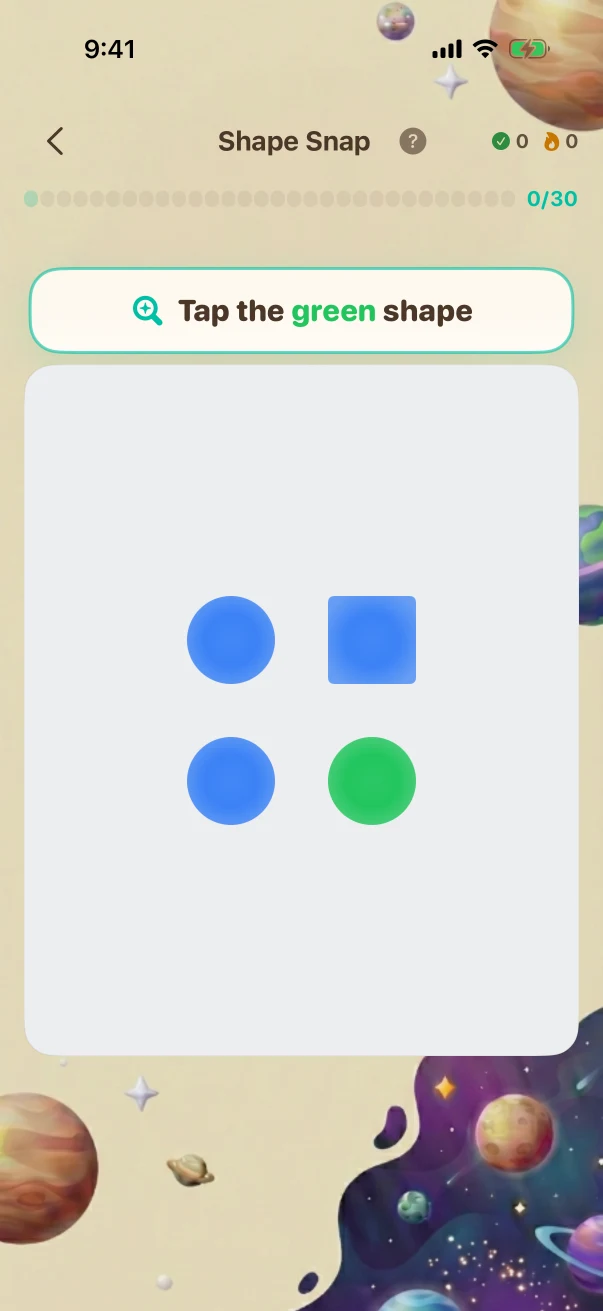
This example stays the same on the website so you can compare it. The app creates new problems during play.
All 8 types, each with an early and later production state
Every comparison uses an app-created trial at the stated level. Later examples change the response rule, number of features that must be combined, distractor structure, field density, or time pressure; more items alone do not count as progression.
Color find
Find one item or every item with the requested color.
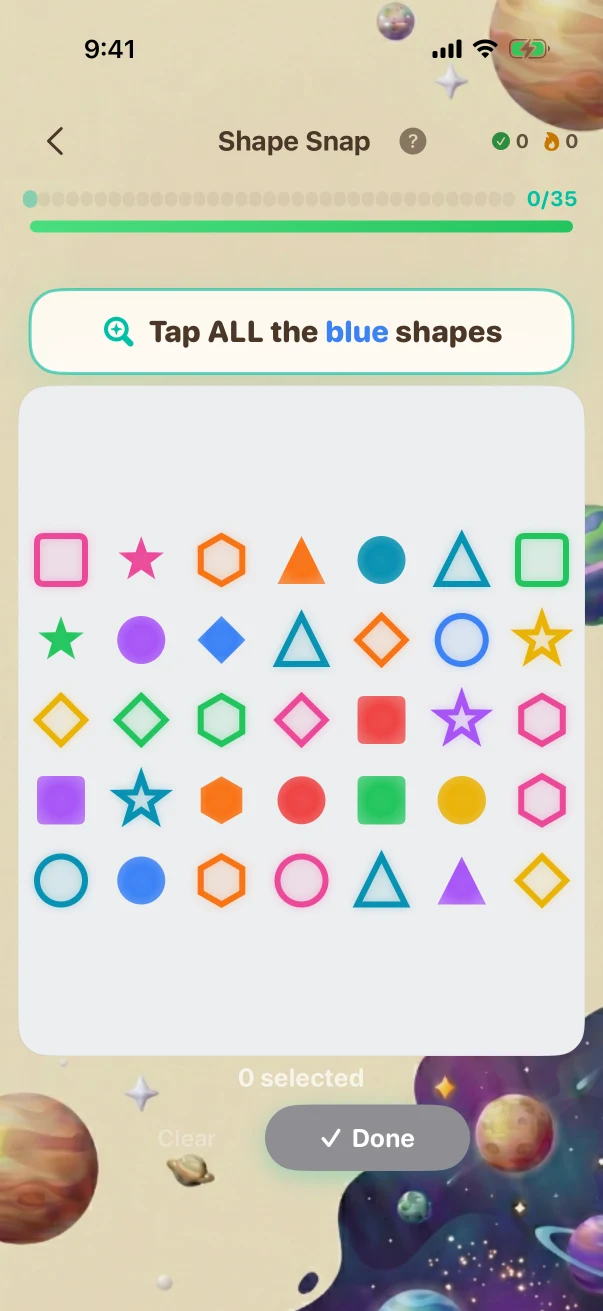
One green item in an untimed four-item field becomes an exact three-item color set in a timed 35-item field with eight colors, six shapes, and two fill styles.
Color find · Later challenge · Level 85 The child is viewing the task before submitting an answer.
Color find · Later challenge · Olympiad / Honors Synthesis · Level 85 of 85
- What the child is solving
- Tap ALL the BLUE shapes
- What counts as correct
- This task is answered by selecting or ordering items in the phone, not by entering internal data values.
The child is viewing the task before submitting an answer.
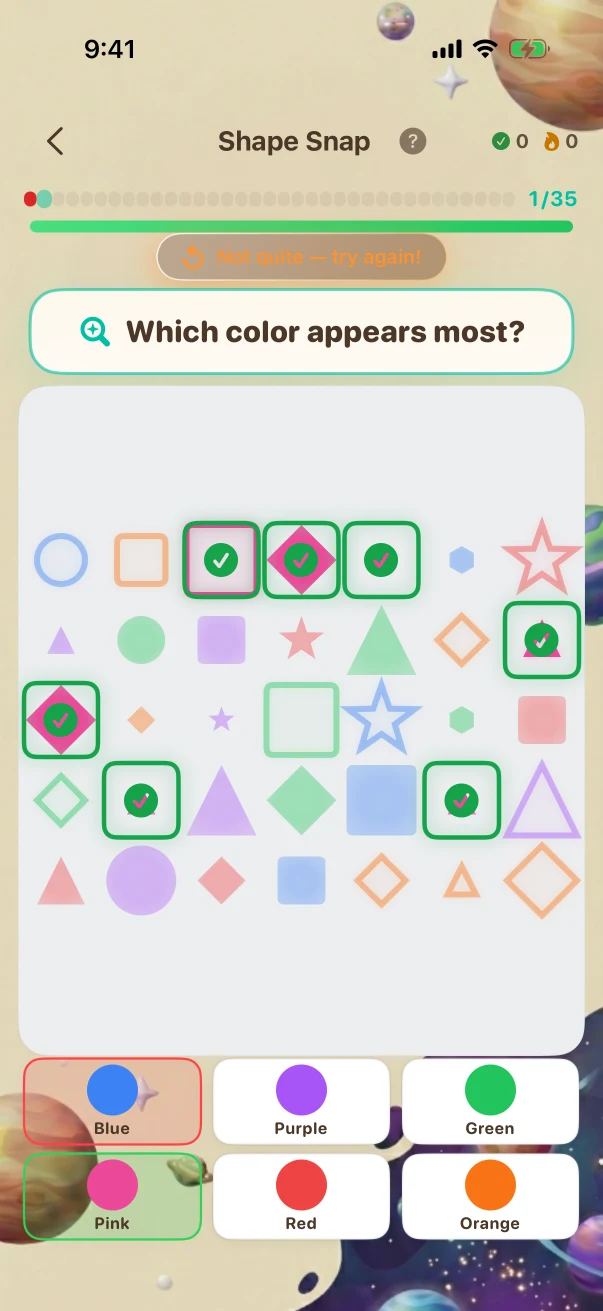
The correction stays tied to the same shape field
This Level 85 Majority trial shows the selected production field and its exact wrong-answer correction. ShapeSnap does not add a worked explanation afterward.
- 1
Build a field for the current level
The app chooses 35 shapes, six color groups, a close distribution, varied shapes, sizes, and fills, and a 5.5-second response window.
- 2
Choose the most common color
Pink appears seven times. Green, orange, and purple each appear six times, so the child must distinguish a one-item lead.
- 3
Mark the selected and correct colors
After a miss, the chosen color is marked wrong and pink is marked correct while the same 35-item field remains visible.
What genuinely changes across the full level path
The comparisons add new rules, operations, representations, interactions, and reasoning steps. Larger numbers or longer item lists alone are not treated as proof that a challenge is harder.
Start with one visible feature
The Level 1 Color Find example asks for one green item in an untimed four-item field containing two colors.
Combine two counts
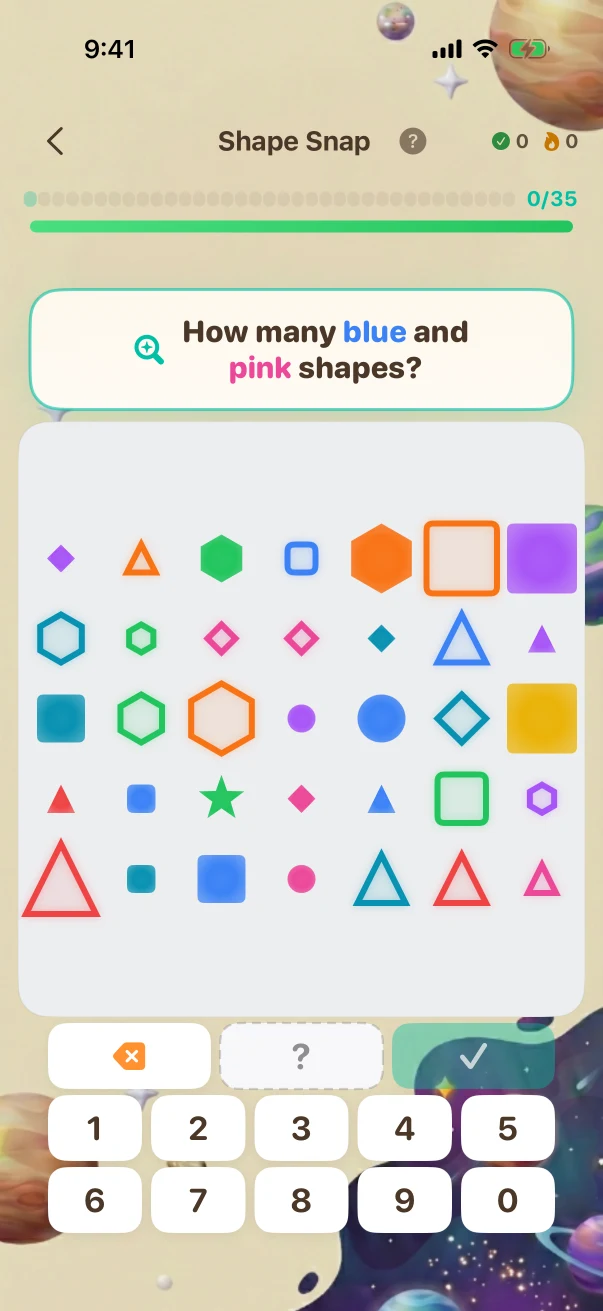
The Level 85 Count Color example totals all blue and pink items across a timed 35-item field with eight colors.
Suppress a dominant distractor
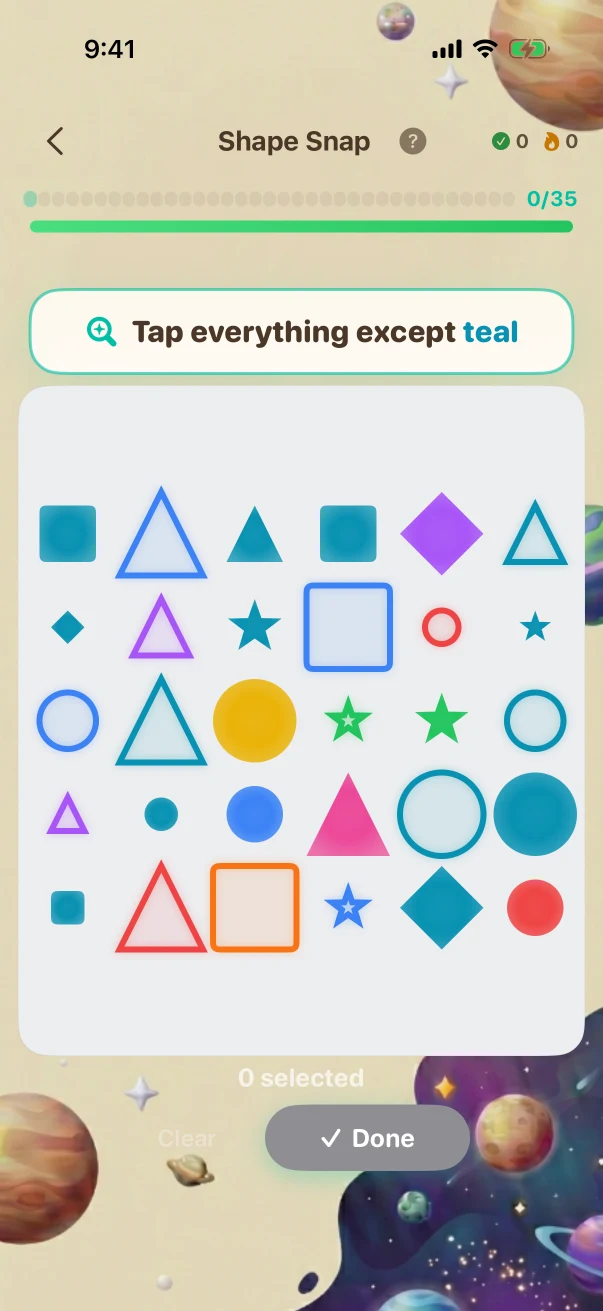
The Level 85 Not Color example asks for the exact 16 non-teal items while 14 teal items must be left untouched.
Match three features at once
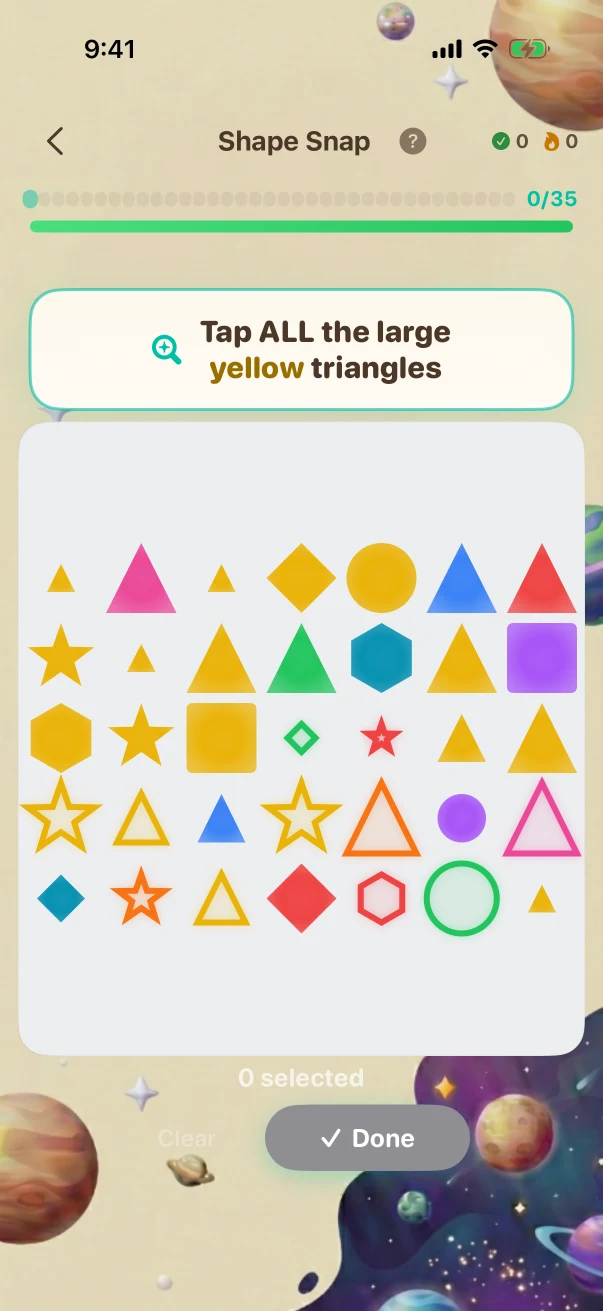
The Level 85 Triple Find example selects three large yellow triangles among 35 items varying color, shape, size, and fill.
What the child is practising in the visible task
These are bounded practice goals tied to the actions shown above, not promises that one game replaces teaching or proves mastery.
Focus on the requested feature
Color Find and Shape Find practise locating a target while other visible properties vary.
Filter competing information
Color + Shape, Not Color, and Triple Find require irrelevant or conflicting features to be ignored.
Compare the whole field
Count Color and Majority require a systematic scan instead of responding to the first item that stands out.
Fixed website examples, fresh app practice
The iPhone screenshots in this guide show reviewed examples checked against the app's current problem and answer rules. Use the controls to compare exact app states; the screenshots stay fixed so families can inspect them. At launch, the app will create new practice at the child's own level. Viewing this guide does not change app progress or earn anything toward a Screen Time unlock.
Daily browser game
A separate limited browser puzzle. It is not a generated app session that follows the child's full 85-level progression, and it awards no access points.
Try today's browser gameFull Braincove app at launch
Fresh ShapeSnap trials follow the child's level and the types available there. A normal session draws from the eligible task types for that level. Parents can change the number of trials and choose whether eligible completed app sessions contribute toward the Screen Time unlock rules they set. Core practice can continue through a temporary connection gap; family sync, Daily, homework, and cross-device updates still need connectivity.
Get the app launch email